The Best Quizlet Alternative for Spaced Repetition
Why you need a Quizlet alternative
In recent years, Quizlet has become one of the largest flashcard learning apps, shaping digital learning by making flashcards a central study method. With Quizlet, you can quickly create new flashcard sets and use them with a wide variety of study modes. However, when it comes to long-term retention, more challenging material, or a focused daily study routine, the app’s capabilities quickly reach their limits.
The big problem: Spaced repetition doesn’t play a central role, creating flashcards is too simple, and the interface feels more cluttered and disorganized than necessary. Furthermore, the user experience on Quizlet is often pushed to the background, as evidenced by the confusing interface and a multitude of interruptions such as ads and upgrade prompts.
Where Quizlet starts to fall short
The limitations are easy to miss at first. They become harder to ignore once you need more from your study workflow.
Below is a list of Quizlet's main issues:
- 1
Spaced repetition feels constrained instead of central
It is scientifically proven that spaced repetition is one of the most effective ways to retain knowledge over time. But on Quizlet, spaced repetition is constrained by limits and upsells, which makes the experience feel less like a complete study system and more like a preview of one.
- 2
Simple cards are not enough for complex topics
Not every subject fits into a bare front-and-back card. Many topics need structure, context, examples, and steps. Quizlet's format can feel too flat for that which degrades the usefulness of flashcards for anything beyond simple definitions or vocabulary.
- 3
Ads and upgrade prompts interrupt the study flow
Ads and upgrade prompts not only disrupt concentration but also make the interface feel cluttered. Especially when studying, it’s important not to lose focus. Quizlet ignores this principle and instead displays ads and paywalls, which are a constant distraction.
- 4
The interface can feel cluttered and distracting
Over time, Quizlet has accumulated many modes, features, and decision points related to learning. Instead of seeing right away what’s next, users spend a lot of time navigating between pages to find where to start their study session.
- 5
Progress and review readiness are not always obvious
When progress and review timing are not immediately clear, it becomes harder to judge how prepared you really are. For exam preparation, vague signals are not enough. Quizlet doesn't provide a clear sense of what is done, what is due, and what still needs work.
Comparison of the practical differences between Quizlet and Quantilo
The key question when it comes to a learning app is whether it can help you organize your studies and give you the focus you need during study sessions to make the most of your time.
| Feature | Quizlet | Quantilo |
|---|---|---|
| Spaced repetition included for free | ||
| Rich block-based flashcards with images, coloring, and formatting | ||
| Ad-free study experience | ||
| Visible learning progress tracking | ||
| Advanced AI assistance | ||
| Extensive import and export options | ||
| Deck sharing without login required | ||
| Web, Android, and iOS availability |
A calmer study workspace makes consistency easier
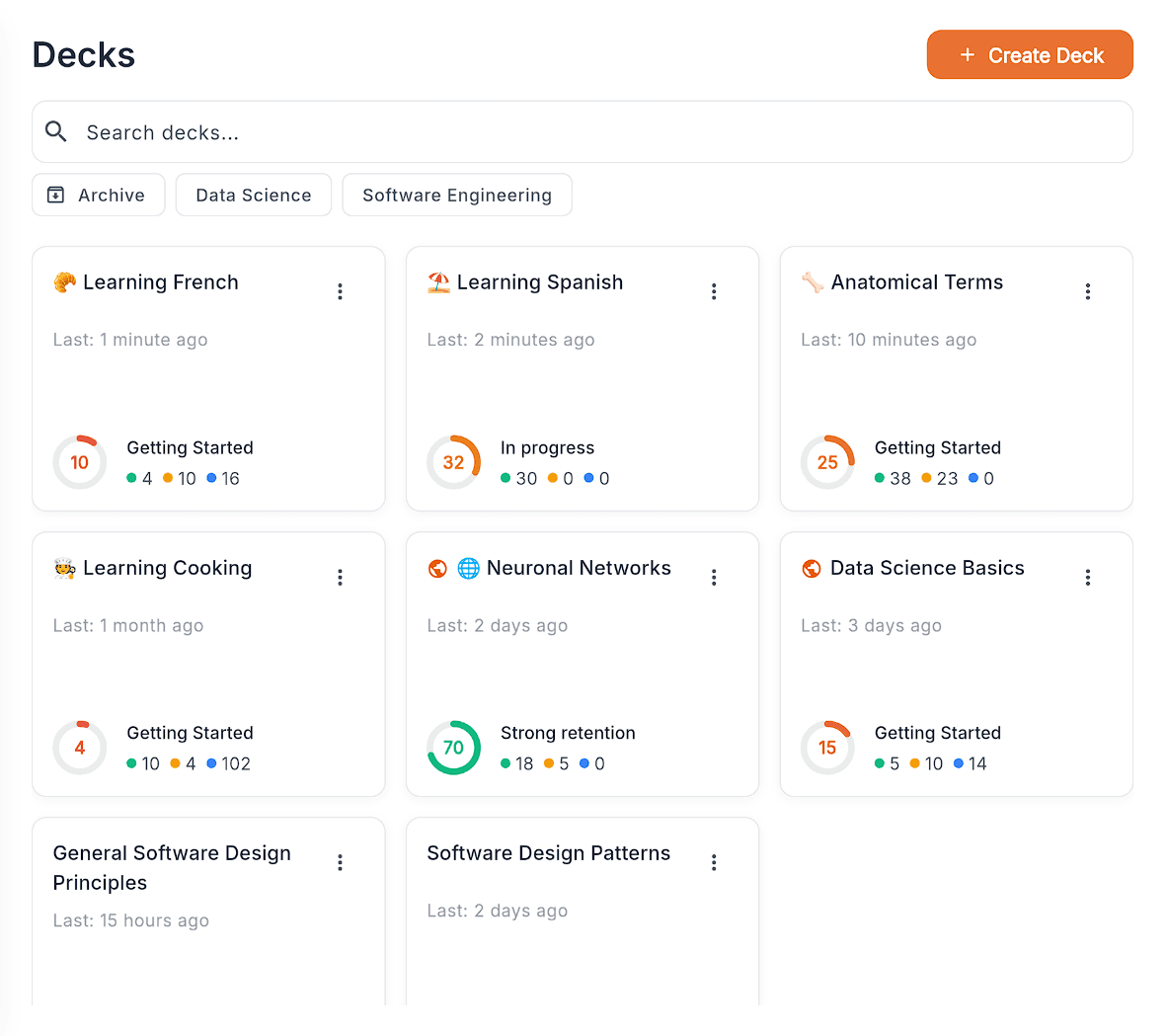
We've all been there: You set aside time to study, but then you don't know where to start. A good study tool should take care of this for you and show you what's important right now and what comes next. Quantilo keeps track of your decks, progress, and next steps in a clear, organized way so you can make the most of your time.
When you open your study app, the next step should already be clear.
A cleaner interface makes it easier to choose what to review, return to a deck, and stay in motion. That sounds small, but over time it makes studying feel lighter and easier to repeat.
- Due cards, deck progress, and next actions stay visible at a glance.
- You spend less time navigating and more time actually studying.
- Suggested learning sessions and clear deck status make it easier to stay consistent without overthinking what to do next.
Learning works best in small steps at the right time
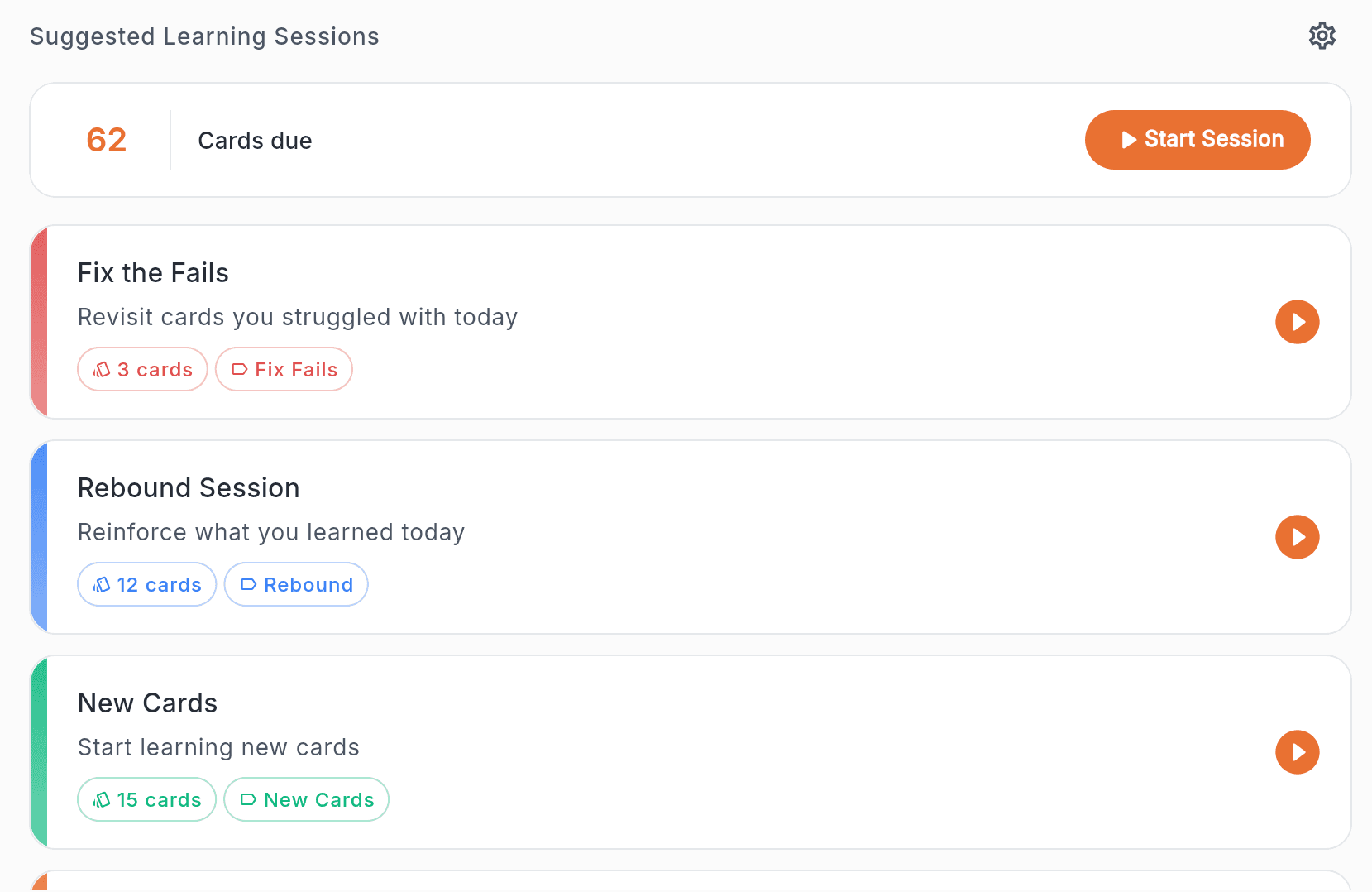
An important aspect of efficient learning is starting early enough. Especially when an exam is approaching, you should allow yourself sufficient time. There are two main reasons for this. First, a person’s daily learning capacity is limited. Second, important connections form in the brain overnight that are crucial for long-term memory. Quantilo uses special algorithms based on the spaced repetition approach. The learning feedback you provide to the app during study sessions is used to create an efficient study plan. This study plan is then displayed to you in the app in the form of suggested sessions.
Quantilo takes care of the planning for you.
After each study session, Quantilo adjusts the schedule based on your results. This ensures that flashcards return for review at regular intervals, so you study exactly when it’s most effective. Additionally, Quantilo creates a series of special study sessions for you. For example, at the end of the day, you’ll be offered short sessions where you review the relevant flashcards you’ve learned throughout the day.
- Spaced repetition brings flashcards back exactly when you need them.
- Suggested sessions turn the study plan into concrete next steps.
- The study plan is tailored precisely to your learning behavior.
Rich flashcards make complex topics easier to study
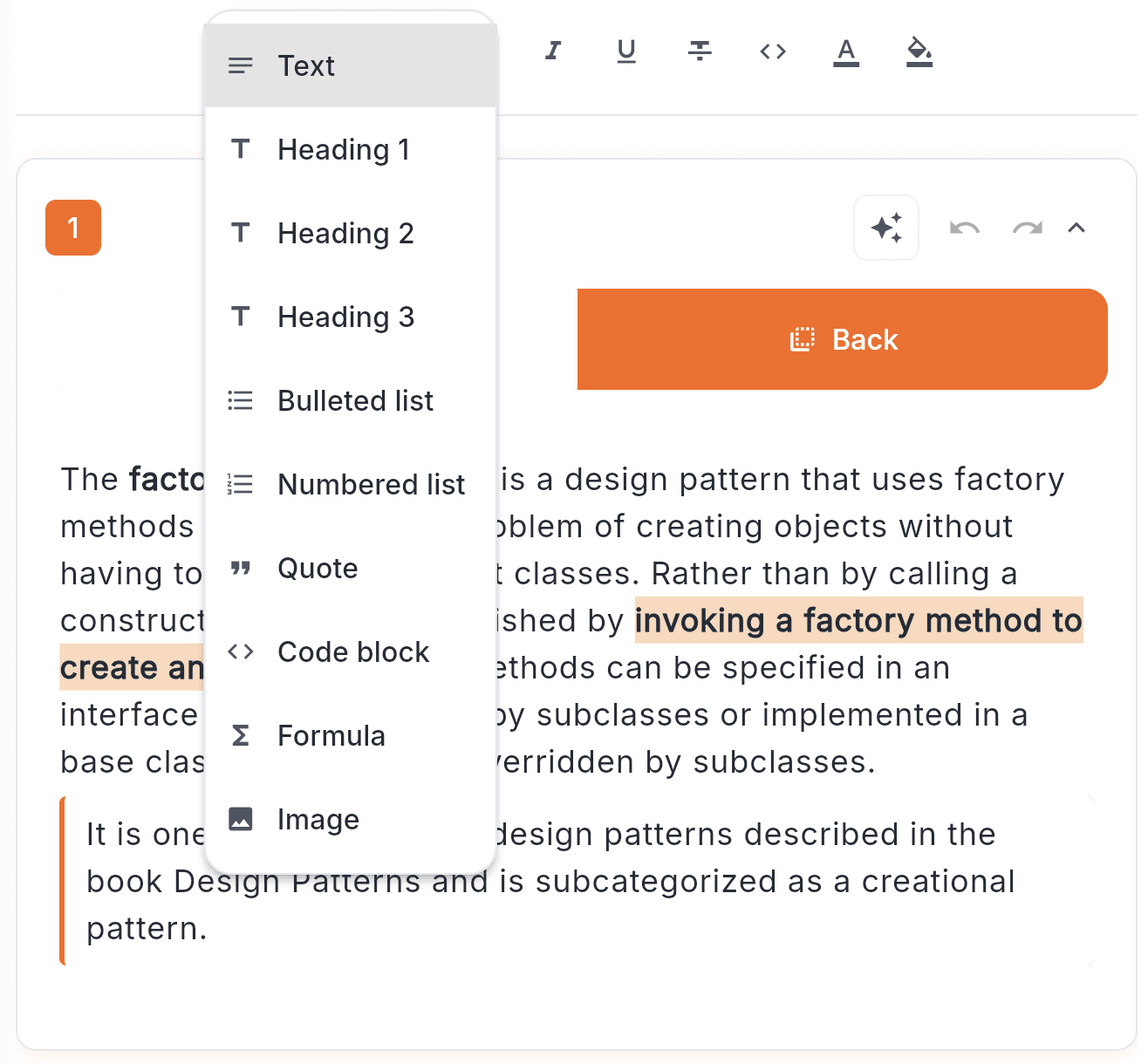
Instead of forcing everything into a simple format, Quantilo gives you the structure to capture ideas more clearly. With its block-based editor, you can create cards as you like with formatting, structure, and color to make them easier to understand and remember. That makes it more useful for subjects that need more than a simple prompt and response.
- Capture concepts, processes, and examples with more clarity.
- Keep complex material structured instead of flattening it into plain text.
- Create cards that feel closer to real notes than stripped-down prompts.
Keep an overview over your learning progress
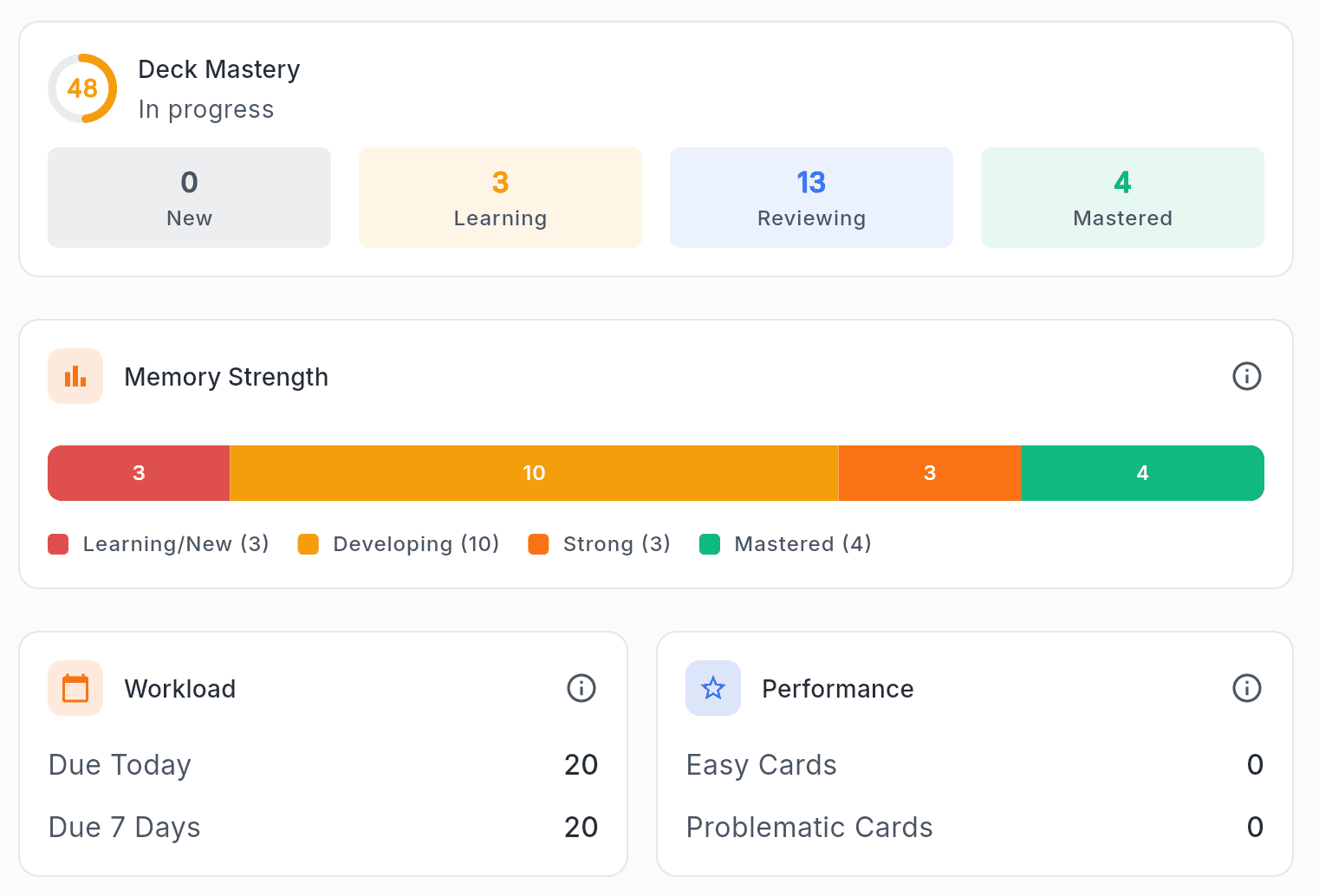
Especially before an exam, it is not enough to merely feel prepared. You need to be able to judge your progress clearly. Quantilo makes your learning progress visible and easier to understand, so you can quickly see which decks are already stable, where gaps still remain, and which reviews matter most next.
- You can immediately see how far each deck has really progressed.
- Uncertain topics and weaker areas become visible right away.
- You make study decisions based on clear signals instead of guesswork.
Switching to Quantilo is easy, and your existing cards can come with you
If you already created flashcards in Quizlet, you do not need to start from zero. Export your cards from Quizlet, import them into Quantilo, and continue studying with spaced repetition, clearer progress, and richer editing once the deck is in place.
Switch in three steps
- 1
Export the cards you already made
Take your Quizlet deck with you so you do not have to recreate terms, definitions, and notes from scratch.
- 2
Import the file into Quantilo
Use Quantilo's import flow to turn that export into a deck you can keep editing, organizing, and reviewing.
- 3
Continue with a better review system
Once your cards are in Quantilo, you can study them with spaced repetition, clearer progress, and suggested sessions.